Grooves
A groove moves notes off the grid, as swing does on a drum machine. This page covers the Grooves page and the groove editor.
How a Groove Works
A groove is a row of cells, one bar of sixteenths to start with, and each cell says how late (+) or early (-) a note that falls in it plays, as a percentage of the cell. 16 on every second sixteenth is the classic 58% swing, and 32 is the triplet feel of 66%.
Grooves follow time rather than steps. The row repeats its own length from the start of each scene, and a note takes the amount of the cell its time falls in, whatever the step size or play direction of its pattern. A moved note keeps its gate, so a delayed note also ends later, and a step's CC values move with its note. Grooves are applied in real time and in every kind of export alike, so nothing depends on Live's groove pool. A grab reads the other track's notes where the grid puts them, since a groove changes only timing.
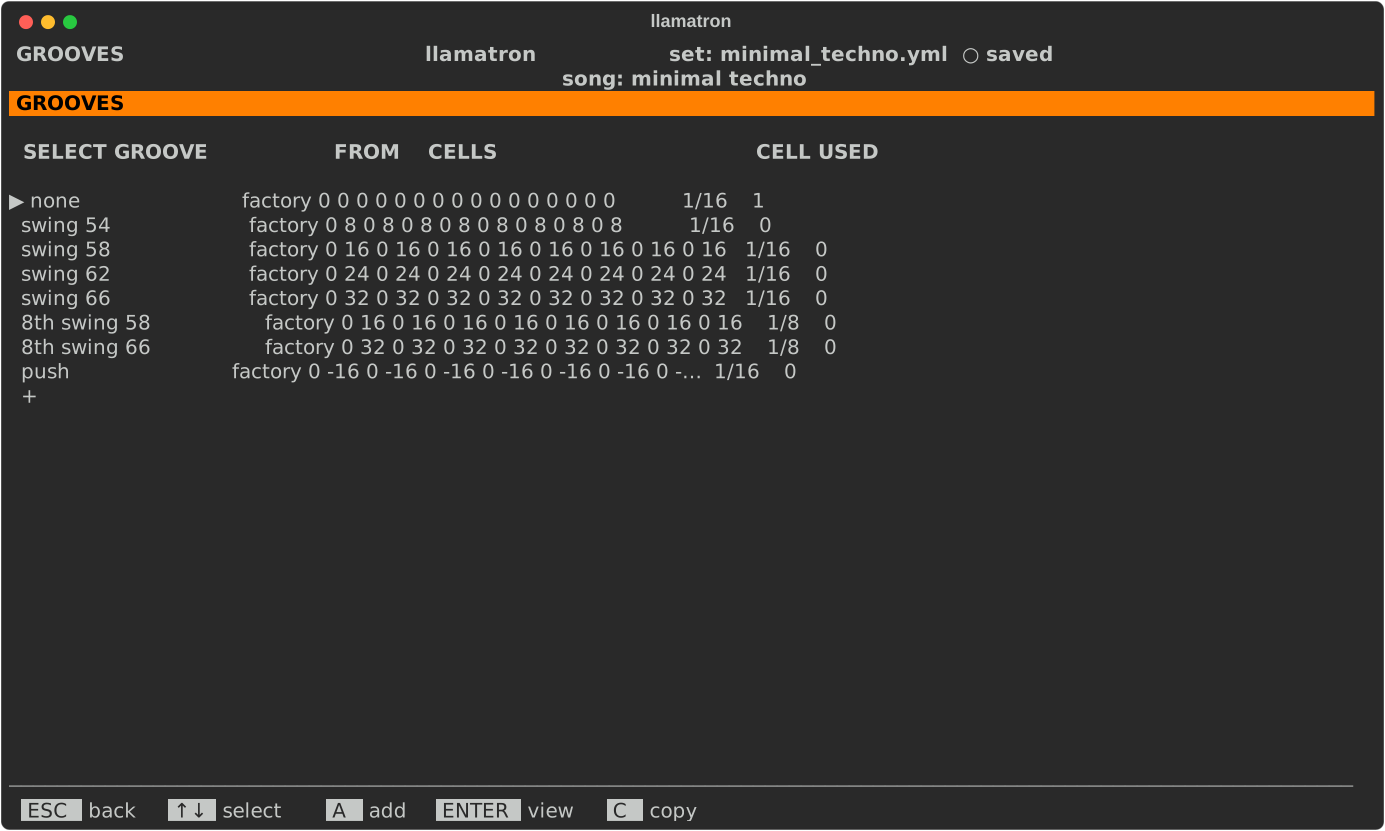
Factory Grooves
Every set has the factory grooves: none, which plays straight and is what a new song uses; swing 54, swing 58, swing 62 and swing 66 on sixteenths; 8th swing 58 and 8th swing 66 on eighths; and push, which plays the off-beat sixteenths early. A factory groove can be opened and copied, but not changed, renamed or deleted, and a groove of your own can't take a factory groove's name.
Grooves Page
Press V on the main screen to open the Grooves page. The list shows each groove's cells, the length of a cell, and how many songs, scenes and tracks use the groove.
| Key | What it does |
|---|---|
A | Adds a straight groove of your own, named groove-1 and so on, and opens it. |
ENTER | Opens the groove: one of yours to edit, or a factory groove to look at. |
C | Copies the groove, factory or yours, to the end of your own grooves. Copying is how to get a factory groove you can change. |
N | Renames one of your grooves, updating every song, scene and track that chose it. |
M | Picks one of your grooves up: ↑↓ carry it, and ENTER drops it. |
S | Sorts your grooves by name. |
Bksp | Deletes one of your grooves, once nothing uses it. |
Choosing a Groove
The song chooses a groove on the Song page, and a scene or a track can choose another on its own page, or off to play straight. The track's choice wins over the scene's, and the scene's over the song's, except that off anywhere plays straight. A kick track set to off therefore stays straight in a swung scene, and a scene set to off stays straight even for a swung hi-hat track.
Groove Editor
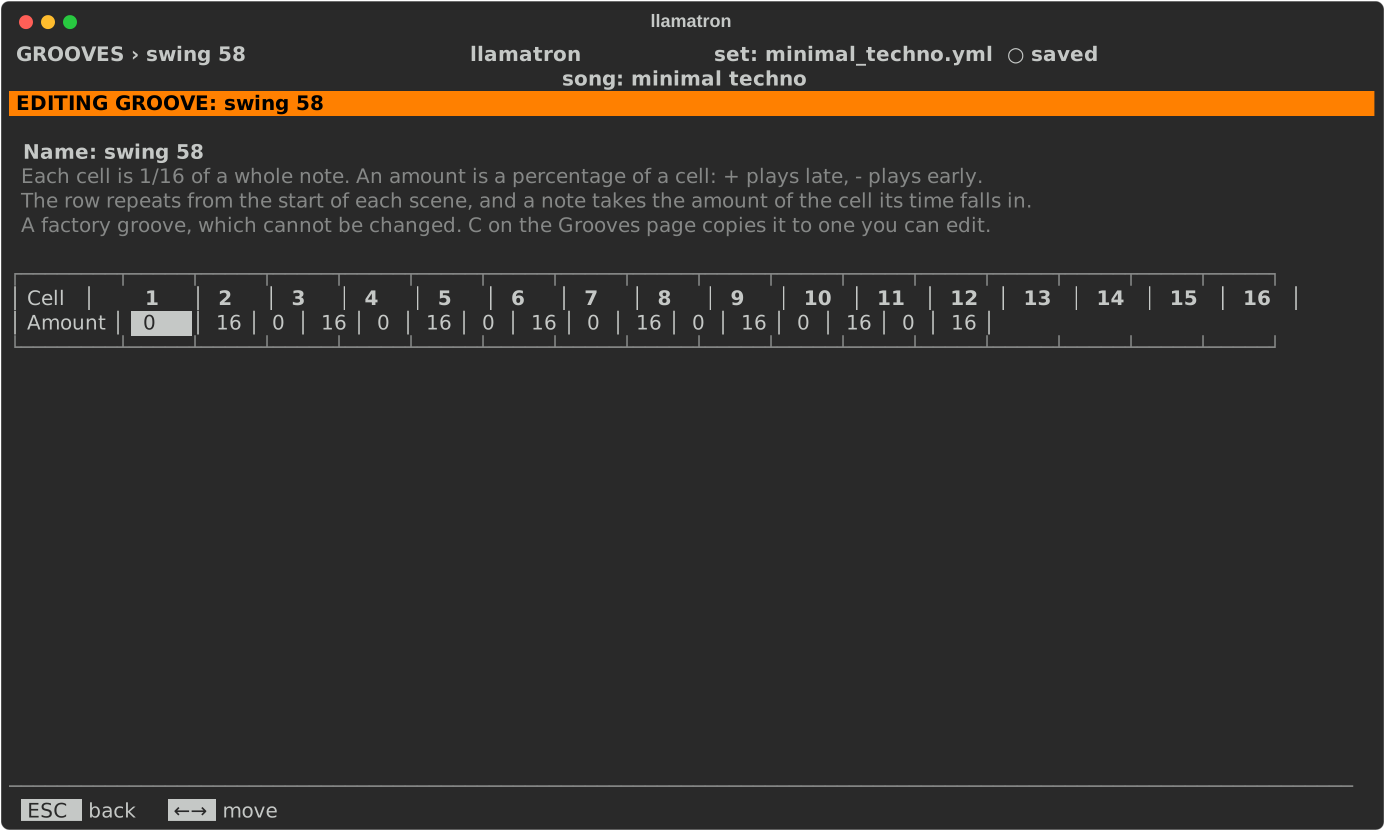
The groove editor shows one groove's cells in a row, with the groove's name above them.
| Key | What it does |
|---|---|
| Left, Right | Move along the cells. |
| Digits | Type an amount; a minus sign is kept while typing into a negative cell. |
[, ] or Up, Down | Change the amount by one. |
I, D | Insert a straight cell before the cursor, or remove the cursor's cell. |
S | Changes the length of a cell, going round a 32nd, sixteenth, eighth and quarter note. |
N | Renames the groove, updating every song, scene and track that chose it. |
Amounts run from -50 to 50, so that notes can never change order, and a groove has 1 to 32 cells. A groove wider than the screen scrolls sideways as the cursor moves, and the line with the name says which cells are shown, such as cells 1-11 ›. A factory groove opens the same way, but only to look at.