llamatron
llamatron is a tracker for the terminal: a composing environment where songs are built from shared patterns, scales and generators, arranged in scenes, and played. It plays in real time through MIDI hardware, software synthesizers or a DAW, or through FluidSynth with no setup at all, and exports to Ableton Live sets, MIDI files and WAV audio, so that a song can be finished in any DAW.
A file holds a set of songs, like the songs of one concert. The patterns, scales, generators, chains, grooves and instruments belong to the set, and every song shares them; each song has its own tempo, scale, seed, groove, tracks, registers and scenes.
Intro
Why llamatron
| Page | What it covers |
|---|---|
| Why llamatron | What llamatron takes from Ableton Live, the Cirklon and the Monomachine, and where it goes its own way. |
Installing
| Page | What it covers |
|---|---|
| Installing | Installing llamatron, and why and when to install FluidSynth. |
| FluidSynth | The software synthesizer that plays every demo with no setup: installing it, and how the tracker uses it. |
| Recording | What recording videos needs installed and set up: BlackHole, a Multi-Output Device, permissions and Xcode's tools. |
Getting Started
| Page | What it covers |
|---|---|
| Getting Started | Starting llamatron, the layout of every screen, keyboard control, opening and saving, and a first song. |
Concepts
| Page | What it covers |
|---|---|
| Concepts | The ideas that join the pages: audio, chord progressions, shaping sections, randomness, hockets, performing, recording and exporting. |
Demo Songs
▶ See every demo song: each example set, what it plays, how long it lasts and which features it shows, with videos to watch. Every demo plays as it comes through FluidSynth: open one, press A for Arrange, move to the top left corner and press Space.
| Page | What it covers |
|---|---|
| About Demos | Opening and playing the example sets, and the pages that describe them. |
| Listening to the Demos | Every demo as a WAV file, made and played with no synthesizer. |
| Tutorial Demos | The learning demos, in the order to learn them. |
| Blues | The blues demo songs. |
| Children's | The children's demo songs. |
| Classical | The classical demo songs. |
| Electronic | The electronic demo songs. |
| Exercise | The exercise demo songs. |
| Folk | The folk demo songs. |
| Gospel | The gospel demo songs. |
| Pop | The pop demo songs. |
| Ragtime | The ragtime demo songs. |
| Rock | The rock demo songs. |
| Soundtrack | The soundtrack demo songs. |
| TV Theme | The TV theme demo songs. |
| Video Game | The video game demo songs. |
| World | The world demo songs. |
| Other | The demos in examples/other/, which fit no other folder. |
Objects
Each object of a set has a page in the tracker and a page here, with its settings and keys; F1 on any page of the tracker lists its keys too.
| Object | Key on the main screen | Page |
|---|---|---|
| Sets and songs | F, S | Object Model |
| Patterns | P | Patterns |
| Scenes | A, then a scene's name | Scenes |
| Tracks | A, then a track's name | Tracks |
| Instruments | I | Instruments |
| The arrangement | A | Arrange |
| Clips | A, then a clip | Clips |
| Scales | Z | Scales |
| Registers | R | Registers |
| Chains | C | Chains |
| Grooves | V | Grooves |
Generators
A generator changes how a clip's notes are played, without changing its pattern. The overview describes what every generator shares, and each generator has a page of its own, grouped by what it changes.
| What it covers | Page |
|---|---|
| What generators are, and what they share | Generators |
Arrangement
| What it does | Page |
|---|---|
| A melody dealt out among tracks | Hocket |
Articulation
| What it does | Page |
|---|---|
| Notes sliding into the next | Glide |
| Notes played short on chosen steps | Shorten |
Chords
| What it does | Page |
|---|---|
| A chord played one note at a time | Arpeggiator |
| Chords and notes played as a guitar plays them | Guitarify |
| A figure moved through chords | Progression |
| Chords spread in time like a pick | Strum |
| Chords voiced nearest the chord before | Voice Leading |
Rhythm
| What it does | Page |
|---|---|
| Notes chopped into quick repeats | AutoRatchet |
| Only the notes on a Euclidean rhythm | Euclid |
Timing
| What it does | Page |
|---|---|
| Notes pushed late | Drag |
| Notes pushed early | Rush |
Transitions
| What it does | Page |
|---|---|
| How long notes sound, ramping over a section | Articulate |
| How many notes play, ramping over a section | Density |
| One slow change over the whole song | Drift |
| How loud notes play, ramping over a section | Swell |
File Operations
| Page | What it covers |
|---|---|
| Exporting | Every kind of export: Ableton Live sets, MIDI files and WAV audio, from the tracker and the command line. |
| Importing | A MIDI file made into a new song of the set. |
MIDI & Performance
| Page | What it covers |
|---|---|
| MIDI Setup | Playing into a synthesizer or Ableton Live on a Mac, and what to do when nothing sounds. |
| Playing Live | Real-time playback, launching scenes and clips, and live editing. |
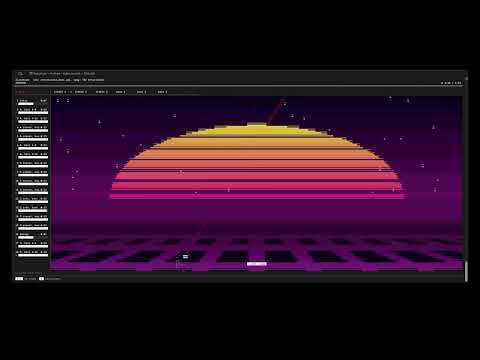
| Visualizers | Moving pictures drawn from the notes as a song plays. |
Advanced
| Page | What it covers |
|---|---|
| User Scripts | Every script in user_scripts/, by category, with an example of running each and its parameters. |
| Recording | Videos of a set playing, by itself or performed, one at a time or every demo in a batch. |
| Architecture | How the code is put together, for anyone reading it, with a link to it on GitHub. |
Trademarks
Ableton and Ableton Live are trademarks of Ableton AG. Elektron and Monomachine are trademarks of Elektron Music Machines MAV AB. Sequentix and Cirklon are trademarks of Sequentix Music Systems Ltd. Apple and macOS are trademarks of Apple Inc., registered in the U.S. and other countries. YouTube is a trademark of Google LLC. GitHub is a trademark of GitHub, Inc. Linux is the registered trademark of Linus Torvalds in the U.S. and other countries. All other trademarks are the property of their respective owners. llamatron is an independent project, not affiliated with, sponsored by or endorsed by any of these companies; their names are used only to describe compatibility and inspiration.